Ad Studio
Meta Ad Creative Generator: Make Your Next Ad From One That Already Works
Wilow's Ad Studio generates Meta ad creative from your own ad, your product photos, and the art direction you want to borrow. You write the words — the model never invents them. Free plan.
Founder, Wilow
·
September 16, 2026
Ad Studio is Wilow's Meta ad creative generator. It does not start from a blank prompt box. It starts from three things you already have — an ad of your own, an ad whose art direction you want to borrow, and photographs of your product — and makes you a new image ad in the sizes Meta actually runs.
You write the words that appear on the ad. The generator makes the picture.
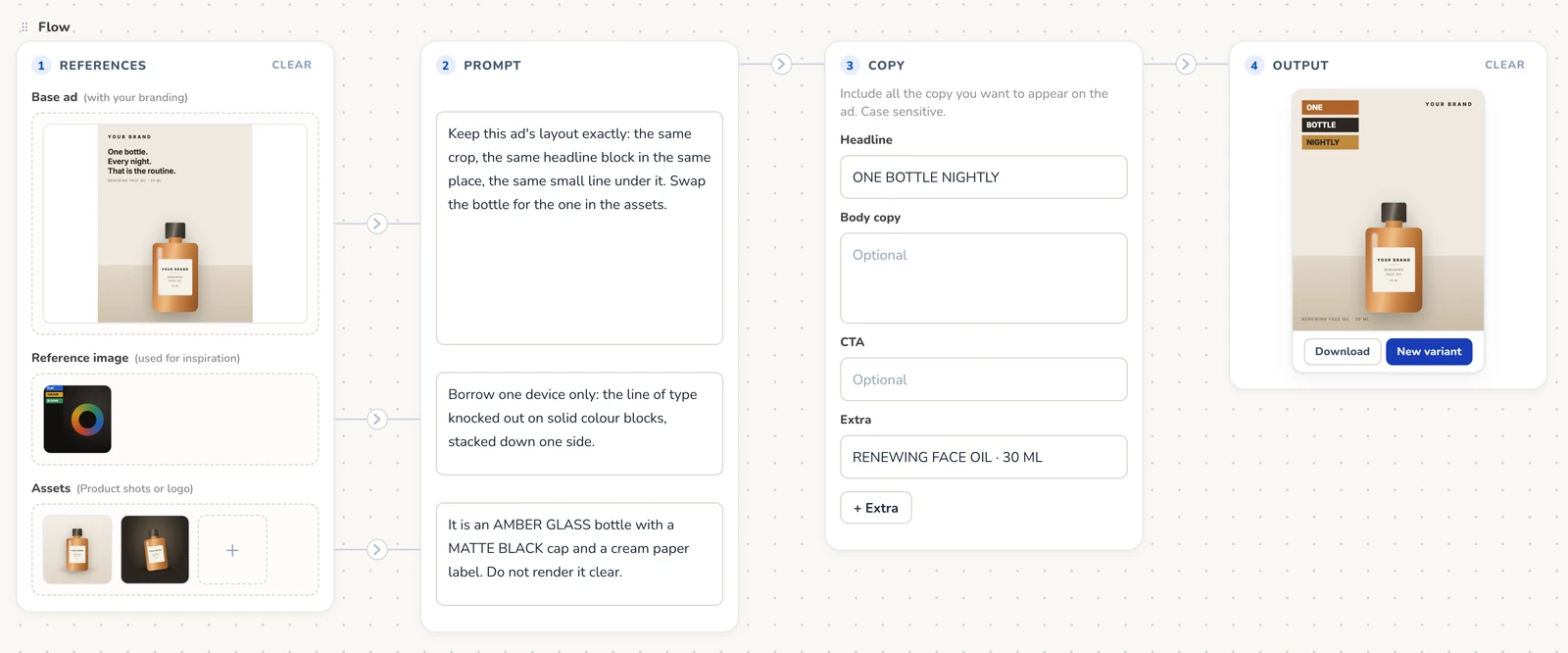
What goes into a generated Meta ad?
Three reference slots, and only the first two lines of the canvas are about images at all.
- Base ad — an ad with your branding already on it. Say what to keep and what to change.
- Reference image — an ad whose layout you admire. Say what to borrow from it.
- Assets — up to six photographs of the product itself. Say what has to stay accurate.
Every slot accepts a direct upload, which is why Ad Studio works on day one for someone who has not connected an ad account yet. Each slot also takes its own instruction, and the generator refuses to run until the slots you filled have been explained — an image with no instruction is a guess waiting to happen.
If you are looking for an ad worth learning from, Wilow's free Meta Ad Library is a searchable view of what brands are running right now. To see the canvas work a step at a time before signing in, walk through how Ad Studio makes an ad.
Who writes the words on the ad?
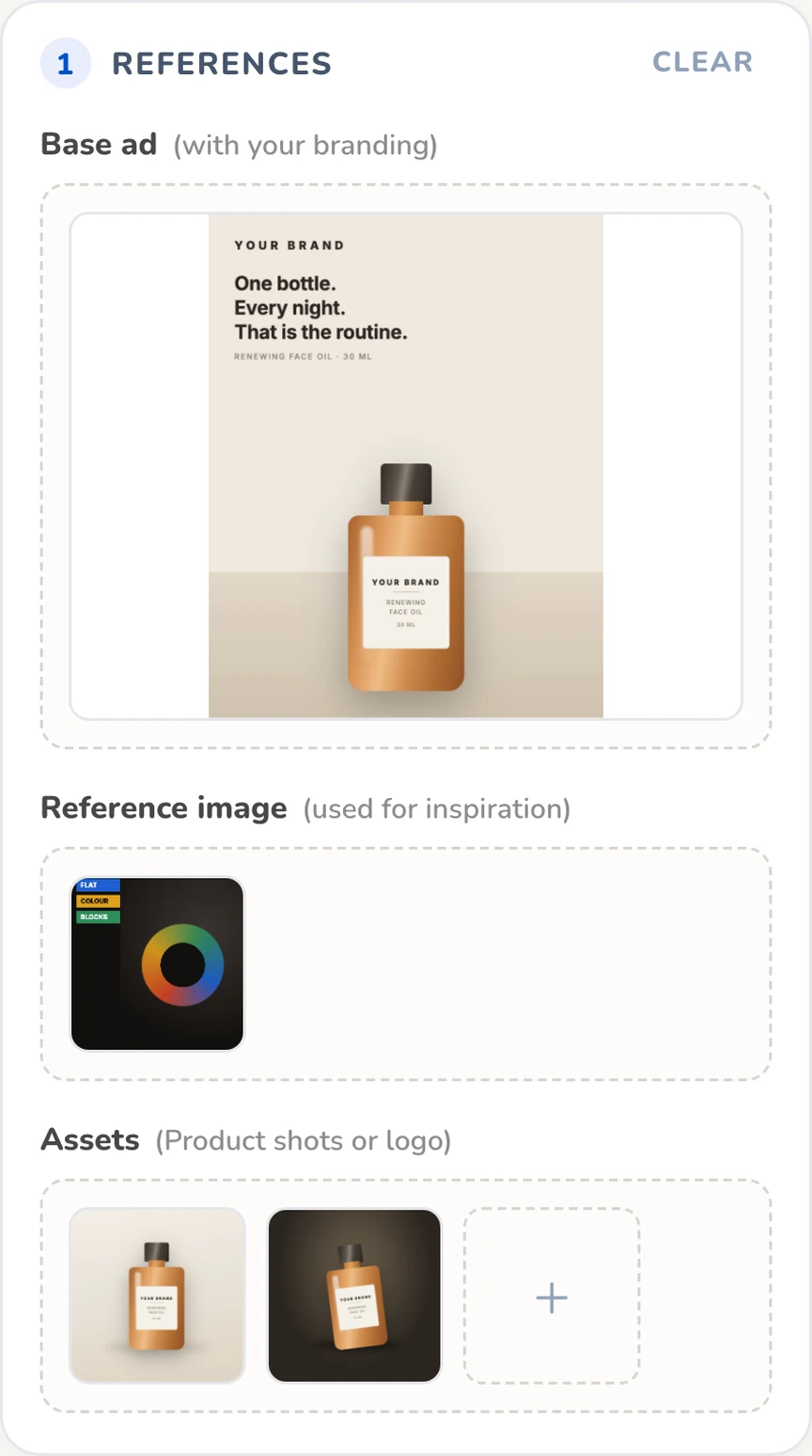
You do, and that is a deliberate design decision rather than a missing feature.
Left to fill a text space on its own, an image model invents wording — and when another brand's ad is in the reference pile, it lifts that brand's wording instead, so your ad goes out carrying somebody else's message. In our own testing we measured this directly: with one layout element left unspecified, the model leaked text into it in 16 of 16 runs. With every element specified, it leaked in none of them. Across 121 scored test generations, no line of text we supplied has ever come back wrong.
So the words go in their own labelled boxes: Headline, Body copy, CTA and Extra, with room for up to five Extra lines. Each line is set on the ad exactly as you typed it, capitals included. Every box is optional, because some ads are better with no type on them at all: leave them all empty and the ad carries no words.
Can it copy a competitor's ad?
No, and the limit is enforced on our servers rather than requested in a prompt.
A reference image is sent to the model as a guide to layout and art direction only. It takes structure — where the type sits, how the blocks stack, how the product is framed — and never the brand, the logo, the product, the packaging or the words. That rule travels with every single run and is not something a browser can switch off.
It also means a reference image is never enough on its own. A run needs an image in Base ad or Assets before it will start, because a reference image guides a generation, it does not supply it.
What sizes does it generate?
Four, matched to where Meta ads actually run across Facebook and Instagram: 4:5 feed vertical, 1:1 feed square, 9:16 for Stories and Reels, and 3:2 landscape. Feed vertical is the default.
What happens after the first image?
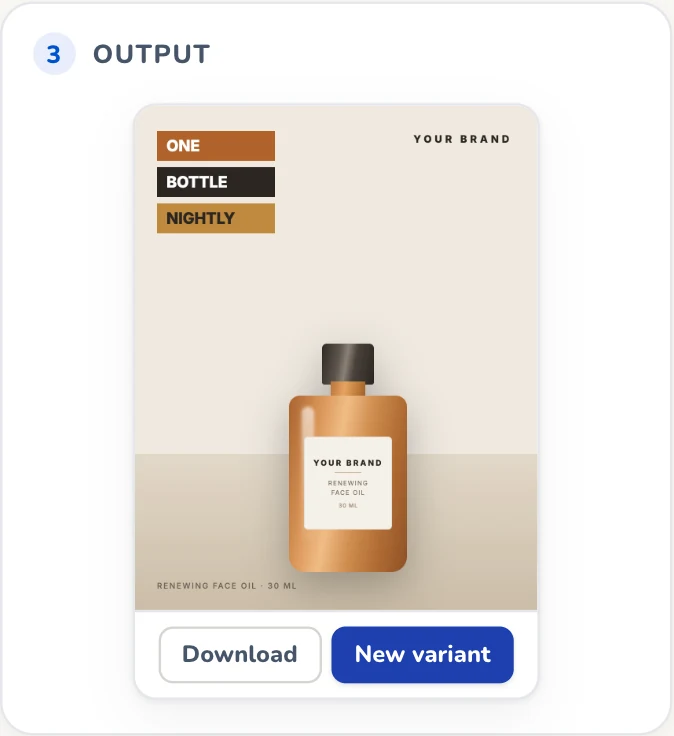
Every finished frame can be downloaded at full size, or varied. A variation runs from the finished frame rather than from the original references, so you can change one thing — a colour, a crop, the weight of a headline — without rebuilding the flow that produced it.
Everything you generate is kept. History is a real page with its own address, so a frame can be linked to, reopened and varied again weeks later, and it records both the prompt you wrote and the prompt the model was actually sent.
What Ad Studio does not do
It makes stills. Ad Studio generates image ads, not video, and every route into it is scoped to image ads for that reason rather than by oversight. If you need motion, this is not the tool.
It also does not tell you what to make. Ad Studio is the making half of Wilow; the measuring half is the rest of the product — the Creative Leaderboard ranks what is already running, and Creative Diversity shows how much genuine variety your account has. Generate from what those views teach you.
Pricing
Ad Studio is included on Wilow's free plan, which gives you 50 credits a month and does not ask for a card. A generation costs 12 credits. Pro is $49/month and raises the limits rather than unlocking features: 1,550 credits a month, 10 connected ad accounts instead of 3, and 12 months of history instead of the last 30 days. Full detail on the pricing page.
Meta ad creative generator FAQs
Is Wilow's Meta ad generator free?
There is a free plan that includes 50 credits a month and does not ask for a card. An ad generation costs 12 credits. Pro is $49/month.
Does it write my ad copy for me?
No. You type the exact words you want into the Headline, Body copy, CTA and Extra boxes, and the generator sets each one on the ad as typed, capitals included. This is deliberate — models invent or borrow wording when left to fill a text space themselves.
Can I generate video ads?
No. Ad Studio makes image ads only.
Do I need to connect a Meta ad account?
No. Every reference slot accepts a direct upload, so you can generate without connecting anything.
What sizes can it generate?
4:5 feed vertical, 1:1 feed square, 9:16 Stories and Reels, and 3:2 landscape.